

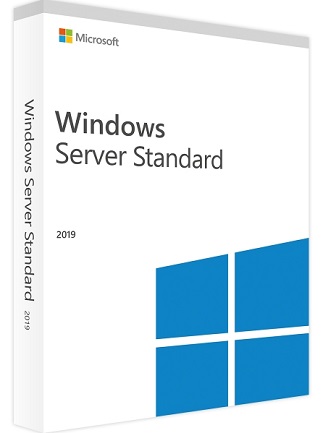
Windows Server 2019 Datacenter – Product Details
About This Item
Windows Server 2019 Datacenter is designed for highly virtualized datacenter and cloud environments. It uses core-based licensing and supports both Server Core and Desktop Experience installation options.
You can activate your product quickly using the provided 25-character key—no physical media required.
Description
If you’re planning to purchase Microsoft Windows Server 2019 Datacenter but are unsure whether it meets your needs, here are the essential details. This edition is built specifically for environments that require strong virtualization capabilities, advanced networking, and high scalability.
Windows Server Datacenter provides a modern and powerful way to manage network infrastructure. It is optimized for datacenters and cloud setups, delivering reliability, stability, and unlimited virtualization rights.
What Is Windows Server?
Windows Server is a server operating system designed to handle critical network functions, including:
-
Domain services
-
File and print services
-
Web hosting
-
Application hosting (Exchange Server, SQL Server, etc.)
Windows Server 2019 is the ninth version of Microsoft’s Windows Server OS, part of the Windows NT family. It is the successor to Windows Server 2016 and is built on the Windows 10 codebase.
-
First released as Windows Insider Preview: March 20, 2018
-
Globally released: October 2, 2018
Standard vs Datacenter
Microsoft offers two editions: Standard and Datacenter.
Both share the same core features, but the number of allowed virtualized instances is what separates them.
Licensing details:
-
Based on processors/cores
-
A license covers up to two physical processors
-
A license can only be used on a single server
Why Choose Windows Server 2019 Datacenter?
The Datacenter Edition is designed for large-scale virtualization and cloud environments. It includes:
Datacenter Advantages
-
Unlimited Windows Server virtual machines
-
One Hyper-V host per license
-
Unlimited Storage Replica
-
Software-defined Networking
-
Storage Spaces Direct
-
Network Controller role services
-
Ability to activate as a host or guest
Datacenter licensing provides the most flexibility and is ideal for organizations using multiple VMs or advanced storage and networking features.
How You Receive Your Product
You will receive an access key, delivered by email.
This key activates Windows Server 2019 Datacenter—no physical packaging required.
Activation Guide
Download Windows Server 2019
Official evaluation download:
https://www.microsoft.com/en-us/evalcenter/evaluate-windows-server
Convert Evaluation Version to Full Version
1. Open Command Prompt (Admin)
Run CMD as Administrator.
2. Check Current Edition
3. Convert to Licensed Version
Replace X’s with your product key:
This command upgrades your evaluation installation to the full, activated version.
| Platform | Microsoft |
|---|---|
| Region | GLOBAL |
3 reviews for Windows Server 2019 Standard 16 Core PC – Microsoft Key – GLOBAL
Only logged in customers who have purchased this product may leave a review.
Frequently Asked Questions
Delivery is instant through your email after payment.
Yes, all keys and subscriptions are 100% genuine and verified.
Instant delivery. No waiting.
We replace it through support.
Most products are global unless stated otherwise.
Related products
Server & Enterprise IT
Windows Server 2019 Remote Desktop Services (50 User CAL) – Microsoft Key – GLOBAL
Server & Enterprise IT
Windows Server 2008 Remote Desktop Services (PC) (20 Users, Lifetime) – Microsoft Key – GLOBAL
Server & Enterprise IT
Windows Server 2012 R2 | Standard (PC) (1 PC, Lifetime) – Microsoft Key – GLOBAL
Server & Enterprise IT
Windows Server 2025 | Remote desktop services user connections (50) – Microsoft Key – GLOBAL
Server & Enterprise IT
Windows Server 2016 Remote Desktop Services (50 Device CAL) – Microsoft Key – GLOBAL
User5629
Swift setup, excellent!
User5288
Swift installation success!
User1806
Swift setup, reliable performance.