

About This Item
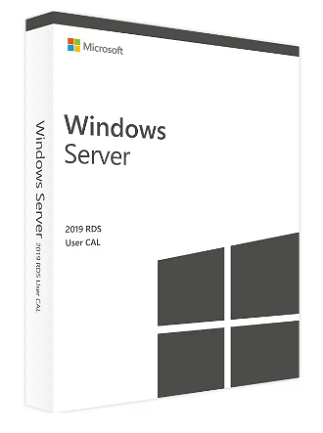
A Windows Server 2019 Remote Desktop Services (RDS) CAL allows users to unlock the full range of Remote Desktop Services features within Windows Server 2019.
This CAL is purchased in addition to standard Windows Server CALs and enables session-based desktops, Virtual Desktop Infrastructure (VDI), and remote access to applications from anywhere with an internet connection.
Description
Windows Server 2019 RDS CALs provide users with the ability to access desktops, applications, and Windows features remotely and securely. By adding an RDS User or Device CAL to your existing Windows Server installation, you gain access to a powerful desktop and application virtualization platform.
RDS allows users to:
-
Connect to virtual desktops
-
Access applications hosted on the server
-
Work securely from any location
-
Use Windows features via a reliable, internet-connected environment
This makes RDS an essential component for organizations that rely on remote work, virtualized workloads, or centralized application delivery.
Safe & Reliable Remote Work
Windows Server 2019 includes multi-layered security to protect your environment from modern digital threats. With built-in intrusion prevention, Windows Defender, encryption services, and powerful administrative tools, users benefit from:
-
Strong protection against attacks
-
Secure remote access
-
Reliable and encrypted workflows
-
Continuous monitoring and threat detection
Whether users are working remotely or on-site, Windows Server 2019 ensures a secure and dependable experience.
Licensing Requirements
Remote Desktop Services is a core component of Windows Server 2019.
To use RDS features, the following are required:
1. Windows Server 2019 License
A valid license for each installed copy of the server software.
2. Windows Server 2019 CAL
Per User or Per Device CAL for general server access.
3. Windows Server 2019 RDS / Terminal Server CAL
Per User or Per Device CAL for remote desktop and virtual session access.
A Windows session is any session where the server hosts a graphical interface on a device.
User CAL vs Device CAL
RDS User CAL
Allows one user to access the server from any number of devices.
RDS Device CAL
Allows one device (used by any user) to access Windows Server sessions.
Both CAL types can coexist in your environment and can be managed by the license server simultaneously.
Technical Licensing Notes
-
In Terminal Services Configuration → Server Settings → Licensing, you can choose Per User or Per Device mode.
-
Windows sessions are not permitted in Pro Server mode.
-
You do not need an RDP CAL when connecting to the console session, which refers to the physical primary keyboard and display of the server.
| Platform | Microsoft |
|---|---|
| Region | GLOBAL |
3 reviews for Windows Server 2019 Remote Desktop Services (50 User CAL) – Microsoft Key – GLOBAL
Only logged in customers who have purchased this product may leave a review.
Frequently Asked Questions
Delivery is instant through your email after payment.
Yes, all keys and subscriptions are 100% genuine and verified.
Instant delivery. No waiting.
We replace it through support.
Most products are global unless stated otherwise.
Related products
Server & Enterprise IT
Microsoft Windows Server 2012 R2 Standard (PC) – Microsoft Key – GLOBAL
Server & Enterprise IT
Windows Server 2016 Remote Desktop Services (50 User CAL) – Microsoft Key – GLOBAL
Server & Enterprise IT
Windows Server 2025 | Remote desktop services user connections (50) – Microsoft Key – GLOBAL
Server & Enterprise IT
Windows Server 2016 Remote Desktop Services (50 Device CAL) – Microsoft Key – GLOBAL
Server & Enterprise IT
Windows Server 2022 Remote Desktop Services 50 User CAL – Microsoft Key – GLOBAL
User8293
Swift setup, excellent!
User3718
Quick setup, excellent performance.
User5856
Quick access solution!