

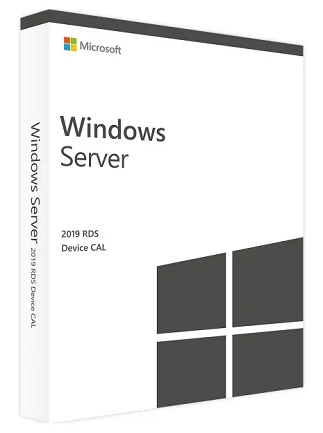
Windows Server 2019 Remote Desktop Services (RDS) CAL unlocks the full Remote Desktop capabilities of Windows Server 2019. This CAL is added on top of a standard Windows Server CAL and enables access to virtual desktops, applications, and Windows features from any location. With RDS, users can take advantage of session virtualization, Virtual Desktop Infrastructure (VDI), and secure remote connectivity for seamless work from anywhere with an internet connection.
Working Safely and Reliably
Users with Windows Server 2019 RDS User CAL benefit from a highly secure and always-available operating environment.
Microsoft has implemented a multi-layered security system to protect against modern threats, including:
-
Intrusion prevention
-
Windows Defender
-
Encryption services
-
Administrative tools for secure configuration
Even if one security layer is bypassed, multiple safeguards remain active to protect user data and sessions.
Licensing Requirements
Remote Desktop Services is a core component of Windows Server 2019.
To use Remote Desktop Protocol (RDP) or Terminal Services, you must have the following licenses:
Required:
-
Windows Server 2019 Server License
-
Windows Server 2019 CAL (Per User or Per Device)
-
Windows Server 2019 RDS CAL (Terminal Server CAL) – required for remote desktop sessions
A Windows session means the server is hosting a graphical user interface (GUI) for a user or device, whether through standard RDS or another delivery technology.
User CAL vs Device CAL
RDS User CAL
Allows one user to access Windows Server sessions from any device.
RDS Device CAL
Allows one device (used by any user) to access Windows Server sessions.
Both types can run together in the same environment, and the license server can manage both modes simultaneously.
Technical Licensing Notes
-
Licensing mode can be set per terminal server under:
Terminal Services Configuration → Server Settings → Licensing
Options are Per User or Per Device. -
Windows sessions cannot be used in Pro Server mode.
-
An RDP CAL is not required when connecting to the console session, which is the session running directly on the server’s primary keyboard and display.
| Platform | Microsoft |
|---|---|
| Region | GLOBAL |
3 reviews for Windows Server 2019 Remote Desktop Services (50 Device CAL) – Microsoft Key – GLOBAL
Only logged in customers who have purchased this product may leave a review.
Frequently Asked Questions
Delivery is instant through your email after payment.
Yes, all keys and subscriptions are 100% genuine and verified.
Instant delivery. No waiting.
We replace it through support.
Most products are global unless stated otherwise.
Related products
Server & Enterprise IT
Windows Server 2019 Remote Desktop Services (50 User CAL) – Microsoft Key – GLOBAL
Server & Enterprise IT
Windows Server 2008 Remote Desktop Services (PC) (20 Users, Lifetime) – Microsoft Key – GLOBAL
User5244
Promptly enhances accessibility.
User2901
Instantly effective solution.
User2354
Swift access solution!