

Note
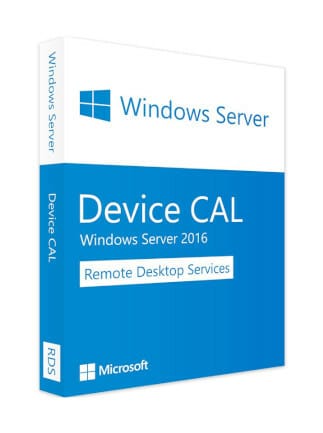
With a Device CAL, you license each device that accesses your server—regardless of how many users use that device.
One device = unlimited users on that device.
Description
Remote Desktop Services (RDS) is Microsoft’s platform for delivering secure, flexible, and scalable virtualization solutions. It enables organizations to provide virtualized applications, secure remote desktop access, and cloud-hosted workspaces to end users—wherever they are located.
RDS supports a wide range of deployment scenarios, making it ideal for businesses wanting to centralize their apps, support remote teams, or deliver full virtual desktops.
Remote Desktop Services Overview
RDS provides:
-
Deployment flexibility – Choose on-premises, cloud (Azure), or hybrid deployments.
-
Cost-efficient scalability – Expand access without major infrastructure changes.
-
Extensibility – Integrates with partner VDI solutions and supports multiple workloads.
It works across:
-
Windows Server 2016 for on-premise scenarios
-
Microsoft Azure for cloud deployments
-
Partner solutions for custom virtualization environments
Virtualization Options
Depending on your infrastructure and business needs, RDS can be configured in different ways:
1. Session-Based Virtualization
Use Windows Server to deliver a cost-effective, multi-session environment for everyday tasks.
Ideal for high-density user environments and shared workload scenarios.
2. Virtual Desktop Infrastructure (VDI)
Use Windows client OS to provide:
-
High performance
-
Full app compatibility
-
A familiar desktop experience
Perfect for users who need a dedicated virtual machine.
Publishing Options for Users
Within your RDS setup, you can publish resources in two main ways:
Full Desktops
Provide a complete, managed Windows desktop experience.
Ideal for:
-
Primary workstation users
-
Thin-client environments
-
MultiPoint Services deployments
RemoteApps
Publish individual applications that run on the server but appear on the user’s device like local apps.
Features:
-
Own taskbar icons
-
Resizable windows
-
Multi-monitor support
RemoteApps are perfect when you want centralized application control without giving users full desktop access.
| Platform | Microsoft |
|---|---|
| Region | GLOBAL |
3 reviews for Windows Server 2016 Remote Desktop Services (50 Device CAL) – Microsoft Key – GLOBAL
Only logged in customers who have purchased this product may leave a review.
Frequently Asked Questions
Delivery is instant through your email after payment.
Yes, all keys and subscriptions are 100% genuine and verified.
Instant delivery. No waiting.
We replace it through support.
Most products are global unless stated otherwise.
Related products
Server & Enterprise IT
Windows Server 2012 R2 | Standard (PC) (1 PC, Lifetime) – Microsoft Key – GLOBAL
Server & Enterprise IT
Windows Server 2022 Remote Desktop Services 50 User CAL – Microsoft Key – GLOBAL
Server & Enterprise IT
Windows Server 2008 Remote Desktop Services (PC) (20 Users, Lifetime) – Microsoft Key – GLOBAL
Server & Enterprise IT
Windows Server 2019 Remote Desktop Services (50 User CAL) – Microsoft Key – GLOBAL
User7694
Instant access achieved!
User1194
Swift access, seamless experience.
User6345
Instant access, great service!