

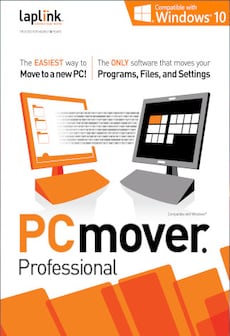
PCmover Professional – Laplink Key – GLOBAL
£28.00
Purchase and activate your PCmover Professional with a Laplink Key – GLOBAL to effortlessly transfer files, applications, and settings to your new PC. Get your digital key now for seamless software migration and setup.
62 in stock
Overview
PCmover Professional by Laplink is the world’s top utility for seamless data migration between PCs. Effortlessly transfer your applications, files, settings, and user profiles from your old PC to your new one, ensuring no loss of data. With PCmover’s advanced features and step-by-step wizard, the entire process becomes straightforward, saving time and effort. A perfect solution for individuals and businesses looking to upgrade their systems efficiently. This global digital product key ensures compatibility across multiple platforms worldwide, delivering a hassle-free experience for users moving to a new computer.
Key Features
• Easy-to-use migration wizard for hassle-free transfers
• Complete application and file transfer, including user settings
• Supports Windows operating systems from XP to the latest versions
• 24/7 free transfer assistance from Laplink experts
• Automatic detection of connected computers for streamlined process
• Flexible transfer methods using WiFi, Ethernet, or direct connection
• Preserve all user profiles, preferences, and custom settings
• Advanced functionality to exclude unwanted files or applications
• Perfect for home and office use, ensuring business continuity
• Free updates and comprehensive technical support included
Activation Instructions
1. Download and install PCmover Professional from the official Laplink website.
2. Open the application and select “Enter License Code” from the menu.
3. Enter your PCmover Professional activation key.
4. Follow the on-screen instructions to begin the data transfer process.
5. Contact Laplink support for any assistance with your activation or transfer.
Why Buy From Us
• Instant digital delivery
• 100% genuine activation keys
• Secure checkout
• Trusted global supplier
| Age Rating | 3 |
|---|---|
| Languages | |
| Publishers | |
| Platform | Laplink |
| Region | GLOBAL |
| Windows minimum requirements | Minimum: OS:Windows 10, 8.1, 8, 7, Vista, XP Processor: Memory: Graphics: Hard Drive:200 MB of hard disk space |
6 reviews for PCmover Professional – Laplink Key – GLOBAL
Only logged in customers who have purchased this product may leave a review.
Frequently Asked Questions
Delivery is instant through your email after payment.
Yes, all keys and subscriptions are 100% genuine and verified.
Instant delivery. No waiting.
We replace it through support.
Most products are global unless stated otherwise.
User6615
Swift transition tool.
User7977
Swift setup!
User8015
Seamless transfer, quick!
User3589
Seamless transfer magic!
User9980
Swift setup, seamless transition.
User8789
Swift setup tool.