

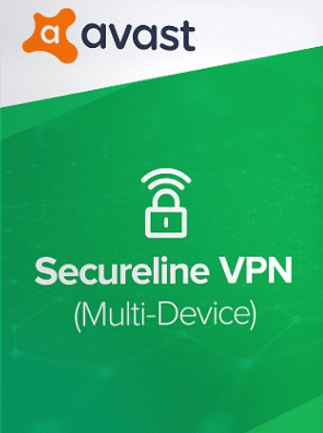
Avast SecureLine VPN (PC, Android, Mac, iOS) 10 Devices, 1 Year – Avast Key – GLOBAL


15,00 €
Secure your online presence with Avast SecureLine VPN for PC, Android, Mac, and iOS, covering 10 devices for 1 year. Buy now and activate using a global digital key to protect your privacy. Optimize your internet security today with a reliable VPN solution.
213 in stock
Overview
Avast SecureLine VPN (PC, Android, Mac, iOS) 10 Devices, 1 Year – Avast Key – GLOBAL is an advanced encryption service designed to protect your online privacy across multiple devices. This VPN service empowers users with secure and anonymous browsing, breaking down geographical barriers with its global server network. Perfect for users seeking high-speed and unrestricted internet access, this key offers reliable protection against cyber threats and ensures data privacy. With the Avast SecureLine VPN global key, you can confidently browse on Windows, Mac, iOS, and Android platforms without the fear of third-party tracking or geo-restrictions.
Key Features
- Connect up to 10 devices, covering PCs, Androids, Macs, and iOS devices with a single activation key.
- Bypass geographical restrictions to access content from anywhere in the world using Avast SecureLine’s widespread server locations.
- High-speed VPN servers ensure that you experience minimal lag while streaming, gaming, or browsing.
- Military-grade encryption safeguards your internet connection, protecting sensitive data from cyber threats and hackers.
- No-log policy guarantees your online activities remain private and are not recorded.
- Simple, user-friendly interface makes it easy to set up and use on any supported device.
- Automatic connection to the optimal server enhances browsing speed and device performance.
- Public Wi-Fi protection shields your devices from threats in unsecured networks.
- Peer-to-peer (P2P) support allows for safe torrenting and data sharing.
- Compatible with Windows, Mac, Android, and iOS platforms for versatile protection.
Activation Instructions
- Windows: Download and install Avast SecureLine VPN. Open the application and navigate to the activation section. Enter your Avast activation key and follow the prompts.
- Android: Download Avast SecureLine VPN from the Google Play Store. Open the app, go to settings, select ‘Subscription’, enter your activation code, and complete the activation.
- Mac: Install Avast SecureLine VPN from the official website. Launch the app and hit ‘Activate’ on the subscription page. Type in the activation key when prompted.
- iOS: Via App Store, install Avast SecureLine VPN. Launch the app, go to ‘Subscription’, use your activation key and follow the instructions to activate.
Why Buy From Us
- Instant digital delivery
- 100% genuine activation keys
- Secure checkout
- Trusted global supplier
| Age Rating | 3 |
|---|---|
| Languages | |
| Publishers | |
| Platform | Avast |
| Region | GLOBAL |
Only logged in customers who have purchased this product may leave a review.
Frequently Asked Questions
Delivery is instant through your email after payment.
Yes, all keys and subscriptions are 100% genuine and verified.
Instant delivery. No waiting.
We replace it through support.
Most products are global unless stated otherwise.
Related products



Reviews
There are no reviews yet.