

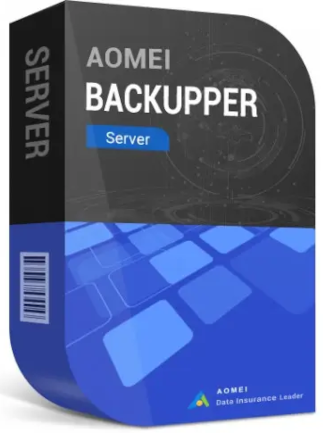
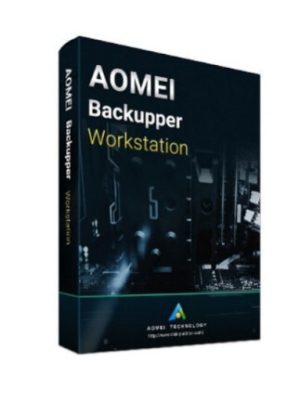
AOMEI Backupper Server (1 Server, 1 Year) – AOMEI Key – GLOBAL
59,00 €
Purchase AOMEI Backupper Server (1 Server, 1 Year) with a global digital key for seamless activation and dependable data protection solutions. This reliable server backup software ensures comprehensive data management, making it an ideal choice for businesses.
64 in stock
Overview
AOMEI Backupper Server (1 Server, 1 Year) – AOMEI Key – GLOBAL is a leading backup software solution designed for businesses aiming to securely protect their server data. This powerful tool offers comprehensive backup, clone, and recovery options tailored to Windows Server environments, ensuring data integrity and fast recovery in the event of data loss. With global activation, AOMEI Backupper serves teams worldwide, enabling optimal server management and peace of mind. Whether you need to back up your entire system or selectively protect files, AOMEI Backupper Server stands as the reliable choice for IT professionals seeking high-performance and trusted results.
Key Features
- Full System Backup: Safeguard your entire server system, including OS, applications, and configurations, ensuring quick disaster recovery.
- Incremental and Differential Backup: Efficiently update backups with only changes since the last backup, saving time and storage space.
- Universal Restore: Easily restore your backup images to different hardware, maximizing flexibility and minimizing downtime.
- File Sync and Backup Scheduling: Automate regular backups with flexible schedules and ensure vital files are always up to date.
- Disk Clone and Partition Clone: Simplify server migration or upgrade tasks with disk and partition cloning capabilities.
- Flexible Storage Options: Store backups on local disks, network attached storage, and cloud services, ensuring diverse storage solutions.
- Advanced Compression and Encryption: Reduce storage required for backups and protect sensitive data with strong encryption methods.
- Email Notifications: Stay informed on backup status updates through automated email alerts, enhancing management efficiency.
- Comprehensive Recovery Tools: Utilize bootable media and recovery environments to restore systems even after serious hardware failures.
Activation Instructions
1. Download and install AOMEI Backupper Server from the official AOMEI website.
2. Open the software and navigate to the “Register” section in the main menu.
3. Enter your purchased AOMEI Key in the designated field.
4. Click “Activate” to complete the activation process for your one-year subscription.
5. Follow on-screen instructions to confirm the activation, and enjoy full access to premium features.
Why Buy From Us
- Instant digital delivery
- 100% genuine activation keys
- Secure checkout
- Trusted global supplier
| Age Rating | 3 |
|---|---|
| Languages | |
| Publishers | |
| Platform | AOMEI |
| Region | GLOBAL |
6 reviews for AOMEI Backupper Server (1 Server, 1 Year) – AOMEI Key – GLOBAL
Only logged in customers who have purchased this product may leave a review.
Frequently Asked Questions
Delivery is instant through your email after payment.
Yes, all keys and subscriptions are 100% genuine and verified.
Instant delivery. No waiting.
We replace it through support.
Most products are global unless stated otherwise.
Related products
System Backup & Recovery



System Backup & Recovery
AOMEI OneKey Recovery Family (4 PCs, Lifetime) – AOMEI Key – GLOBAL
User8754
Quick setup, great software!
User3660
Quick setup, reliable protection.
User7537
Swift service, great software!
User5272
Lightning-quick backup solution!
User4322
Swift service, reliable backup.
User3815
Quick setup, solid performance.